Is Your Gmail Account Hacked? 9 Warning Signs and How to Secure It Now
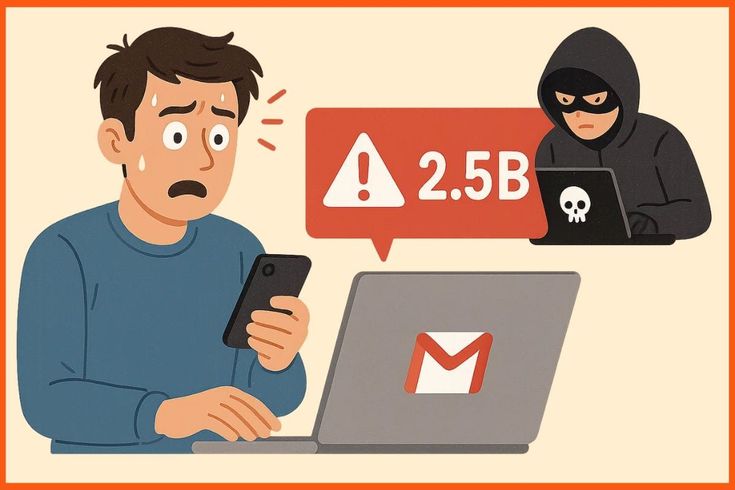
You open Gmail and something feels off. An email you never sent appears in your sent folder. A password reset notification pops up for an account you did not touch. Your heart sinks as one question takes over your mind. Is my Gmail account hacked?
Gmail holds your entire digital life. Banking notifications, work conversations, personal photos, and login credentials for dozens of other services all live inside it. A compromised Gmail account is not just an inconvenience. It is a gateway to identity theft, financial loss, and serious privacy violations.
This guide walks you through the real warning signs, what to do the moment you suspect a breach, and exactly how to secure Gmail account before more damage happens.
Signs Your Gmail Has Been Hacked
Hackers rarely announce themselves with a flashing banner. They prefer to stay hidden, quietly reading your emails and collecting information over weeks or months. Knowing the subtle signs helps you catch them early.
Here are the nine warning signs that demand immediate attention:
Emails in your sent folder you never wrote
Check your sent items regularly. Hackers often use compromised accounts to send phishing emails to your contacts. These messages might ask for money, share suspicious links, or pretend to be you in distress. Your friends receiving weird emails from you is one of the biggest red flags.
Password reset emails you did not request
Finding password reset notifications from Facebook, Amazon, PayPal, or your bank means someone is actively trying to break into your other accounts using your Gmail. They might already have your Gmail password and are testing it everywhere.
Unfamiliar devices in your account activity
Google tracks every device that accesses your account. Go to your Google Account, then Security, then Your devices. If you see a phone or computer you do not recognize, someone else has your login details.
Strange login location alerts
Google sometimes sends emails warning about logins from unusual locations. Never ignore these. A login from another country or state while you are home means your credentials leaked somewhere.
Missing emails or changed settings
Hackers might delete security alerts to cover their tracks. They also change settings like forwarding rules, reply to addresses, or vacation responders. Check your filters and forwarding settings under Gmail settings.
Your contacts report receiving spam from you
Friends asking why you sent them a weird link is embarrassing. It is also one of the clearest signs your Gmail has been hacked. Hackers use your trusted reputation to trick people into clicking malicious links.
New apps or extensions with account access
Third party apps you never installed might appear in your Google Account permissions. These apps can read your emails, access your Drive, or modify your calendar. Review connected apps regularly.
Your recovery phone or email changed
Hackers change recovery information to lock you out permanently. If your backup email or phone number suddenly looks wrong, act immediately. This is often the last step before you lose access completely.
Two factor authentication turned off without your knowledge
If you had two factor authentication enabled and it suddenly disappears, someone with deep access disabled it. This is an advanced attack and means your account is severely compromised.
Gmail Account Hacked What to Do Immediately
Panic helps no one. These steps stop the bleeding fast.
Change your password right now
Use a completely new password you have never used before. Make it at least sixteen characters with a mix of letters, numbers, and symbols. Do not reuse passwords across accounts. A password manager generates and stores strong passwords for you.
Check your account recovery options
Verify your recovery email and phone number are still yours. Hackers change these to prevent you from regaining access. If they altered anything, change it back immediately and secure those recovery accounts too.
Review recent security activity
Go to your Google Account security page and check Recent security activity. Look for password changes, device additions, or permission grants you did not make. Google timestamps everything, so you can see exactly when the breach happened.
Sign out of all devices
Force every device to log out from your account. This kicks the hacker out instantly. You will need to sign back in on your own devices, but it is worth the minor inconvenience.
Enable two factor authentication
If it was disabled, turn it back on. If you never had it, set it up now. Use an authenticator app rather than SMS when possible. SMS can be intercepted through SIM swapping attacks.
Check forwarding and delegation settings
Hackers often set up email forwarding to receive copies of everything you get. Go to Gmail settings, then Forwarding and POP/IMAP. Make sure no unauthorized forwarding addresses exist. Also check Accounts and Import for unknown delegation permissions.
Scan your computer for malware
Your Gmail password might have been stolen by a keylogger or trojan on your computer. Run a full system scan with updated antivirus software. Remove anything suspicious before signing back into Gmail.
How to Know If Your Email Is Hacked Beyond Gmail
Sometimes the problem spreads beyond Gmail. Hackers use your email to reset passwords for other services, locking you out of everything.
Watch for these broader warning signs:
- Social media posts or messages you never created
- Unfamiliar purchases on your Amazon or banking accounts
- New credit cards or addresses added to your online shopping accounts
- Friends asking about direct messages you supposedly sent
- Login alerts from services you barely use
If multiple accounts show suspicious activity, you are dealing with a coordinated attack. This usually means your Gmail was the entry point, and the hacker used password reset emails to take over everything else.
Gmail Security Check: Run This Audit Monthly
Prevention beats recovery every time. Make this security audit a monthly habit.
Review your Google Account security page
Visit myaccount.google.com/security monthly. Google shows your security status with a color coded checkup. Green means good. Yellow or red means action needed. Fix any warnings immediately.
Check connected apps and services
Under Third party apps with account access, remove anything you do not recognize or no longer use. Old apps from years ago might have broad permissions you forgot about.
Verify your backup codes
If you use two factor authentication, download and print backup codes. Store them somewhere safe and offline. If you lose your phone, these codes are your only way back in.
Update your recovery information
Life changes. Phone numbers change. Email addresses change. Make sure your recovery options are current. An old phone number you no longer own is useless if Google needs to verify your identity.
Review your Gmail filters and blocked addresses
Hackers sometimes create filters that automatically delete emails from your bank or hide security alerts. Go to Gmail settings, then Filters and Blocked Addresses. Delete anything you did not create.
Someone Accessed My Gmail Account: Long Term Protection
Short term fixes stop the immediate threat. Long term habits keep hackers out permanently.
Use a unique password for every account
Never reuse your Gmail password anywhere else. If one service gets breached, hackers try that password everywhere. A unique password contains the damage to one account.
Enable advanced protection if you are high risk
Journalists, activists, politicians, and business leaders face targeted attacks. Google’s Advanced Protection Program requires physical security keys and blocks most third party app access. It is the strongest security Google offers.
Be suspicious of every email asking for login details
Banks, Google, and legitimate services never ask for your password through email. If an email looks urgent and asks you to click a link, go directly to the website by typing the URL yourself. Never trust links in unexpected emails.
Monitor the dark web for leaked credentials
Services like Have I Been Pwned alert you when your email appears in known data breaches. If your Gmail shows up in a breach, change your password immediately even if you see no signs of hacking yet.
Keep your software updated
Outdated browsers, operating systems, and apps have security holes hackers exploit. Enable automatic updates everywhere. The latest versions patch vulnerabilities that could expose your Gmail password.
When to Seek Professional Help
Most Gmail breaches resolve with the steps above. Some situations need expert intervention.
Contact a cybersecurity professional if:
- You cannot regain access to your account at all
- Sensitive financial or medical information was accessed
- Your identity has been used to open accounts or file taxes
- The hacker is actively blackmailing you or threatening to leak data
- Your business email was compromised and client data is at risk
Time matters in these cases. The longer a hacker controls your account, the more damage they can do. If you feel overwhelmed or the situation is serious, reach out to us through our Contact Us page. Our team can guide you through account recovery and help secure your digital presence going forward.
FAQs
How do I know if my Gmail account is hacked?
Check your sent folder for emails you never wrote, look for password reset notifications you did not request, and review your Google Account security page for unfamiliar devices. If friends report receiving spam from you, that is another clear sign. Google also sends alerts about logins from unusual locations.
Gmail account hacked what to do first?
Change your password immediately using a completely new one you have never used before. Sign out of all devices to kick the hacker out. Check your recovery email and phone number to make sure they are still yours. Enable two factor authentication if it was turned off. Then review forwarding rules and connected apps.
How to secure Gmail account from future attacks?
Use a unique sixteen character password and enable two factor authentication with an authenticator app. Run a monthly security audit on your Google Account page. Remove old third party apps. Keep your recovery information updated. Never click links in unexpected emails asking for login details.
Can I recover my Gmail if a hacker changed the recovery email?
Yes, but it is harder. Start at Google’s account recovery page and answer the security questions as accurately as possible. Provide details about when you created the account and passwords you remember. If you saved backup codes when you set up two factor authentication, those help enormously. Contact Google support if automated recovery fails.
Why am I getting password reset emails I did not request?
Someone is trying to break into your other accounts using your Gmail address. They might already have your Gmail password and are testing it everywhere. Change your Gmail password immediately, then change passwords on any accounts that sent reset notifications. Enable two factor authentication on all critical accounts.
How can I check if someone accessed my Gmail account?
Go to your Google Account, then Security, then Your devices. This shows every device that has logged into your account recently. Also check Recent security activity for password changes, device additions, or permission changes. Look for locations, times, and devices that do not match your usage.